Windows · works offline · bought once

Say the thing. It becomes a note.

Press a key from inside any program and talk. A few seconds later your words are a Markdown file in a folder you chose, or typed right where your cursor is. The speech model runs on the computer in front of you, so nothing you say is uploaded anywhere. There is no account, no subscription and no networking code in it at all.

One payment. Every future update free, new languages included.

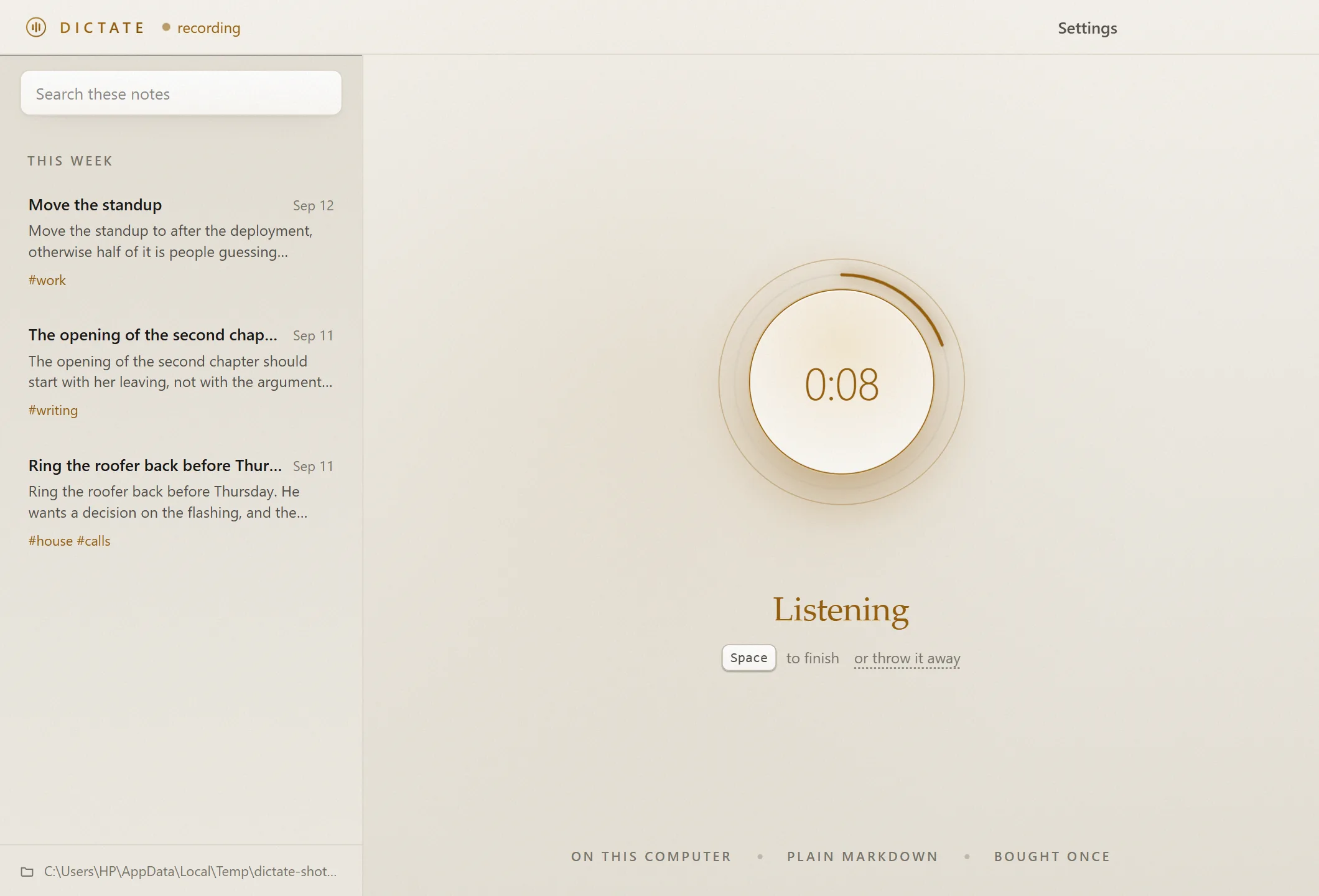
The Dictate window while recording: a glowing round microphone button with a level ring, a running timer, and the list of notes on the left.
Press, and talk. The ring around the button moves with your real voice, not a looping animation. Press again, or press the key from inside another program, and it writes the note down.
Runs on your computer

The speech model is inside the download. Your voice is turned into text on the machine in front of you, and the recording is dropped unless you ask to keep it.

No network code

Not a setting you could leave on. The window blocks its own requests, the speech process has its network functions removed, and the build fails if networking code is added.

Plain Markdown

Every note is a .md file with tags in the frontmatter. It opens in Obsidian, Logseq, VS Code or Notepad, today and in twenty years.

Bought once

3 euros. Every future update is free, new languages included. No account, and no price that rises later.

Gerald the cloud is listening at the window. He hears nothing, because there is nothing to hear.

How it works

Press. Speak. Keep.

Press

A key from inside any program, the big button, or hold Space in the window.

Speak

Your voice becomes text on this computer. Nothing is uploaded, ever.

Keep

A Markdown file lands in your folder, or the words are typed where your cursor is.

What you get

Your words, in files you own.

It writes down what you said and gets out of your way. It never rewrites what you said: no summarising, no tidying, no "improving". What comes back is what you get, until you edit it.
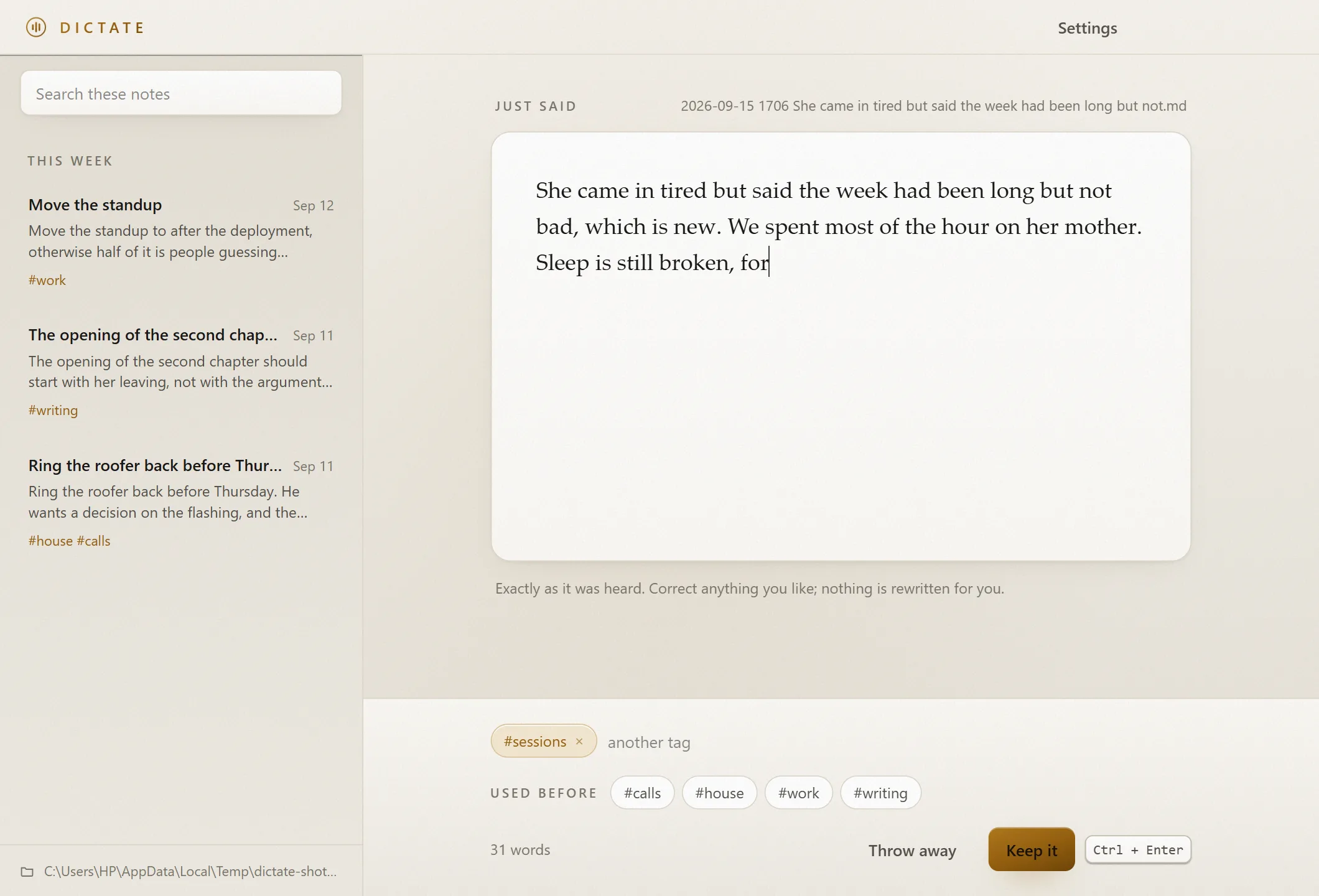
A transcribed note on a lit page, with the file name it will be saved as shown above it and a box for tags underneath.
What comes back, before it is kept. Fix a word if you want to, add a tag, and keep it. The file name is shown before anything is written: the date, the time and your opening words.
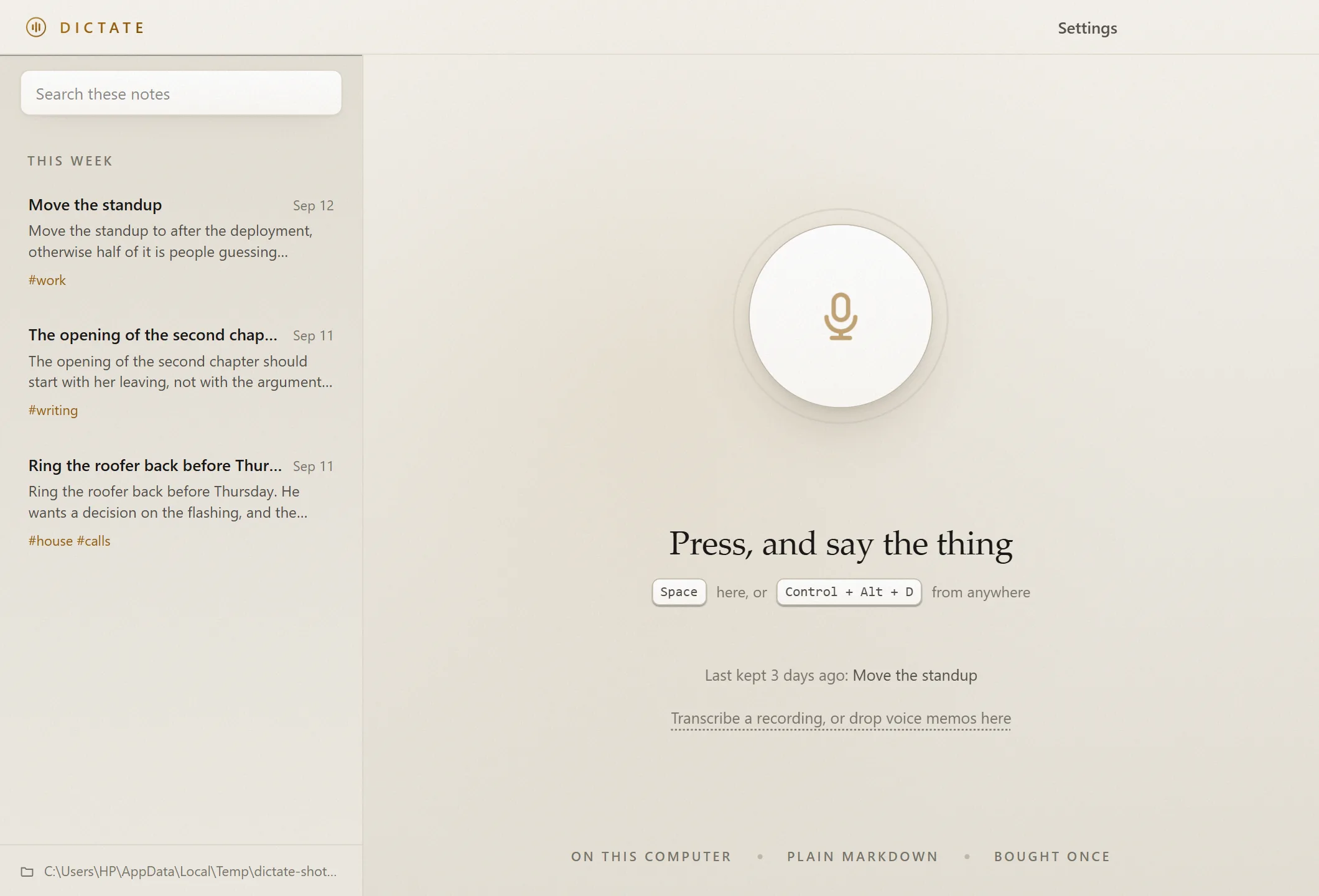
The list of notes grouped under Today and Yesterday, each with its title, time, first lines and tags.
Your folder, shown back. The list is read from the folder itself. A note you add in Obsidian, or drop in by hand, appears here exactly like one Dictate wrote, because there is no database. There are only files.
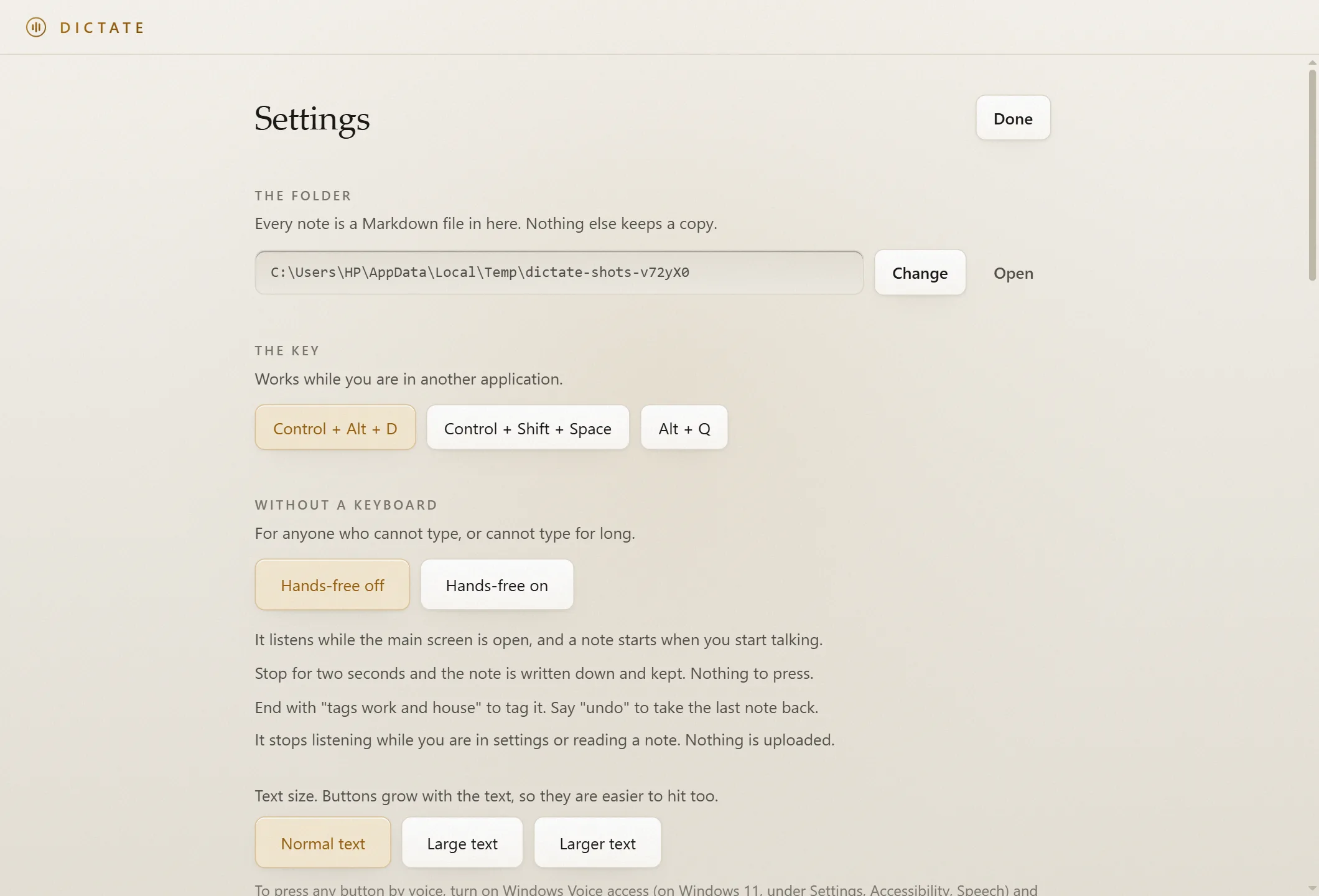
The settings screen: the notes folder with Change and Open buttons, a choice of three global keys, a switch for putting the opening words in file names, and the Night and Paper themes.
A handful of settings, all of them readable. Where the notes go, which key starts a note from anywhere, whether file names carry your opening words, and how it looks. Point the folder at your Obsidian vault and you are done.
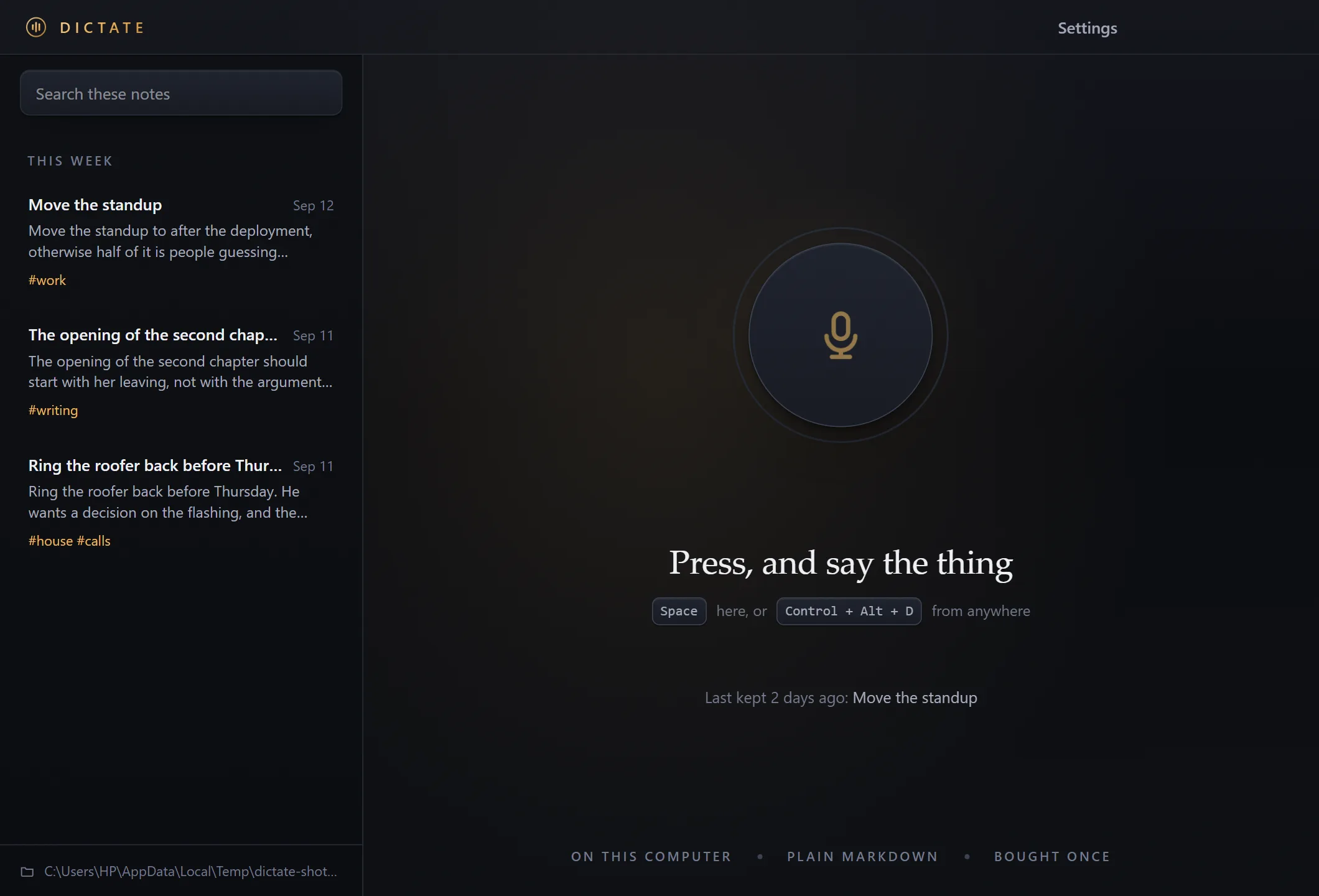
The same window in the dark night theme.
A paper theme and a night theme. Warm and light for daytime, and dark like a lamp at night. Switch in settings.
New in version 0.2

More ways in. Still offline.

Nine additions, all running on your own computer, and all free for everyone who already bought it.

Type into any program

Press the key in Word, email or a browser, and the words appear where your cursor is.

Voice memos from your phone

Drop in .m4a, .mp3 or .wav recordings and each one becomes a note.

One note per day

Everything said today in one file, a heading for each time you speak. Made for Obsidian daily notes.

Tags choose the folder

End with "tags work" and the note goes straight into your work folder.

Hold Space to talk

Hold, speak, let go. Like a walkie-talkie, inside the Dictate window.

Mini recorder

A small bar with the time and a Stop button, on top while you work in another program.

Keep the recording

Save the audio beside the note, so you can check what was really said.

Word fixes

Teach it the names it gets wrong. Whole words, fixed the same way every time.

Speak another language, get English

Experimental, and still offline. Only English is tested so far.

Hands-free

Made for people who cannot type.

Turn on Hands-free and you need neither a keyboard nor a mouse. It is for anyone with a tremor, a painful wrist, limited movement or low vision, and for anyone whose hands are simply busy.

It stops listening while you are in settings or reading a note, and a cough or a click does not become a note.
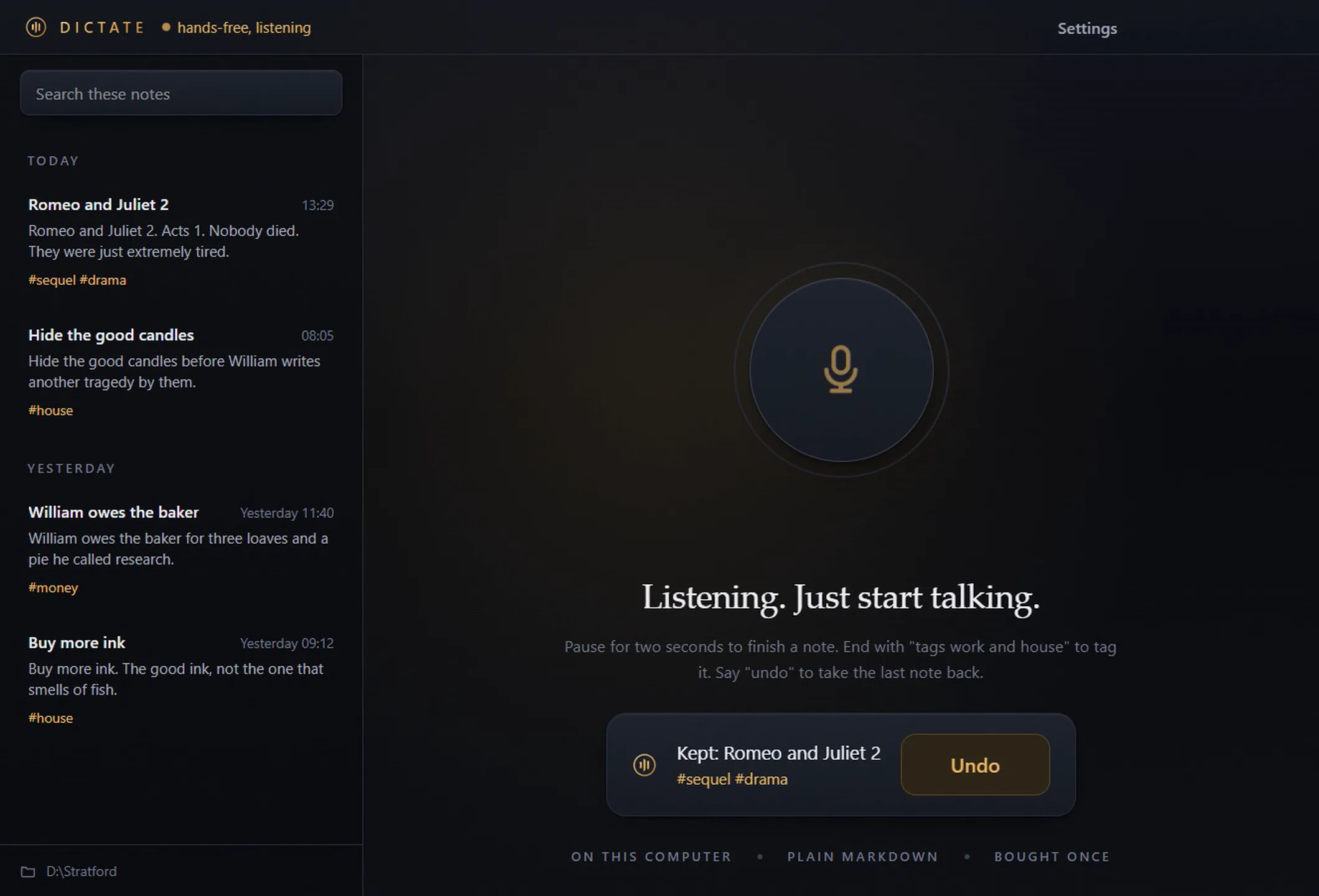
Dictate in hands-free mode. The header reads hands-free, listening, and a message at the bottom reads Kept, with the note title, its tags and a large Undo button.
Kept on its own, with a large Undo. In hands-free mode a pause ends the note and keeps it. Nothing was pressed to make this one. The Undo button is big enough to hit with an unsteady hand, and saying "undo" works as well.
Bought once

Pay once. Every update after that is free.

Every future version of Dictate is free for anyone who bought it, including new languages as they are added. No subscription, no upgrade fee, and no version 2 to buy again.

after 0 years
A 10 dollar a month voice app
$0
Dictate
€3, once
Compare

Against typing it, and against a voice app in the cloud.

The honest comparison, including where the cloud apps win. If you want summaries, a phone app, or your notes on every device, they do work this does not do.

Feature Typing it yourself Cloud voice note apps Dictate
Your voice stays on your computerYesNoUploaded to be transcribedYes
Works with no internet connectionYesNoYes
Faster than typingNoYesYes
Notes are plain files you ownYesPartlyOften an export, not the sourceYes
Usable without your handsNoPartlyVariesYes
Future updates includedYesPartlyWhile you keep payingYes
Summaries and AI rewritingNoYesNoDeliberately not
Phone app and sync between devicesPartlyYesNoOne Windows computer
Limits

What it does not do, before you find out yourself.

All of these are deliberate, and most follow from your voice never leaving your computer.

  • Windows 10 and 11 only. There is no Mac version, no Linux version and no phone app.
  • No sync between computers. Sync means a server, and a server means your notes are somewhere else. Put the folder in your own cloud drive if you want that.
  • Tested in English. More languages will come as free updates; until a language is tested, it is not promised.
  • What comes back is a draft. Speech to text gets names and numbers wrong sometimes. Read important notes through.
  • No summaries, no AI rewriting and no chat with your notes. It writes down what you said, and that is the whole job.
  • Typing into other programs borrows the clipboard for about a second, and Windows does not allow typing into programs running as administrator.
  • The download is about 290 MB, because the speech model is inside it rather than on somebody's server.
  • The installer is not code signed yet, so Windows shows a SmartScreen warning the first time. Click "More info", then "Run anyway".
  • It is not a medical device, and it is not certified by anybody. It is a program written by one person.
Price

The price of a coffee, once.

Voice note apps and AI transcription services usually charge 8 to 20 dollars a month, and send your recordings to their servers to do it. This is 3 euros, once, and then nothing, and your voice never leaves the room.

€3once. Every future update free, new languages included
  • Every feature, including everything new in version 0.2
  • Every future update, free, for everyone who bought it
  • New languages as they are added, free
  • The speech model, inside the download rather than an add on
  • An installer and a portable version that runs from a folder
  • No licence server and no account, so it keeps working for good
Get Dictate, €3

Updates stay free for everyone who bought Dictate. There is no paid version 2 waiting later, and that will not change for people who already own it.

Questions

The things people actually ask.

Are updates really free?
Yes. Every future update is free for anyone who bought Dictate, including new languages when they are added. There is no subscription, no upgrade fee and no paid version 2.
Is it really offline? How can I check?
Unplug the network and use it. Nothing changes. Underneath, the window blocks any request that is not local, the speech process has its network functions removed before the model loads, and the build fails if anybody adds networking code to the source. It is a claim built to be checked rather than trusted.
Can it type into other programs?
Yes. Choose "Type where my cursor is" in settings, press the key while Word, email or a browser is in front, and the words are pasted where your cursor is. It borrows the clipboard for a moment and puts your copied text back. Windows does not allow typing into programs running as administrator.
Can it transcribe voice memos from my phone?
Yes. Drop .m4a, .mp3, .wav, .ogg or .flac files on the window, or use "Transcribe a recording". One file opens as a draft to check; several are each kept as a note, marked with the file they came from.
How accurate is it?
On clear speech into a decent microphone in a quiet room, very good. With a fan running or a mumbled sentence, worse. Every note comes back as a draft you can correct, names and numbers are the words most worth checking, and word fixes let you teach it the names it keeps getting wrong.
Does it work with Obsidian?
Yes. Point Dictate at your vault folder and your spoken notes appear there as ordinary Markdown files, with tags in the frontmatter. Turn on one note per day for daily notes, and tags can choose the folder.
Can I use it without a keyboard or mouse at all?
Yes. Turn on Hands-free once and it listens, keeps a note when you pause, and takes spoken tags and "undo". To reach settings by voice, turn on Windows Voice access and say "click" followed by the button name, for example "click Settings".
Which languages does it understand?
It is tested in English, and more languages will come as free updates. There is also an experimental setting to speak another language and get the note in English, still offline.
Why is the download so large?
About 290 MB, and nearly all of it is the speech model. Cloud apps keep that on their servers, which is exactly why they need your audio. Downloading it once is the price of never sending a recording anywhere.
Why does Windows warn me when I first run it?
The installer is not code signed yet, so SmartScreen does not recognise it. Click "More info", then "Run anyway". The SHA-256 checksums at the bottom of this page let you confirm the file is the one that was built.
Where are my notes, and what if I stop using it?
In the folder you chose, as Markdown files. Stop using Dictate and they stay exactly where they are, readable by anything. There is no account to close and nothing to export.